← All updates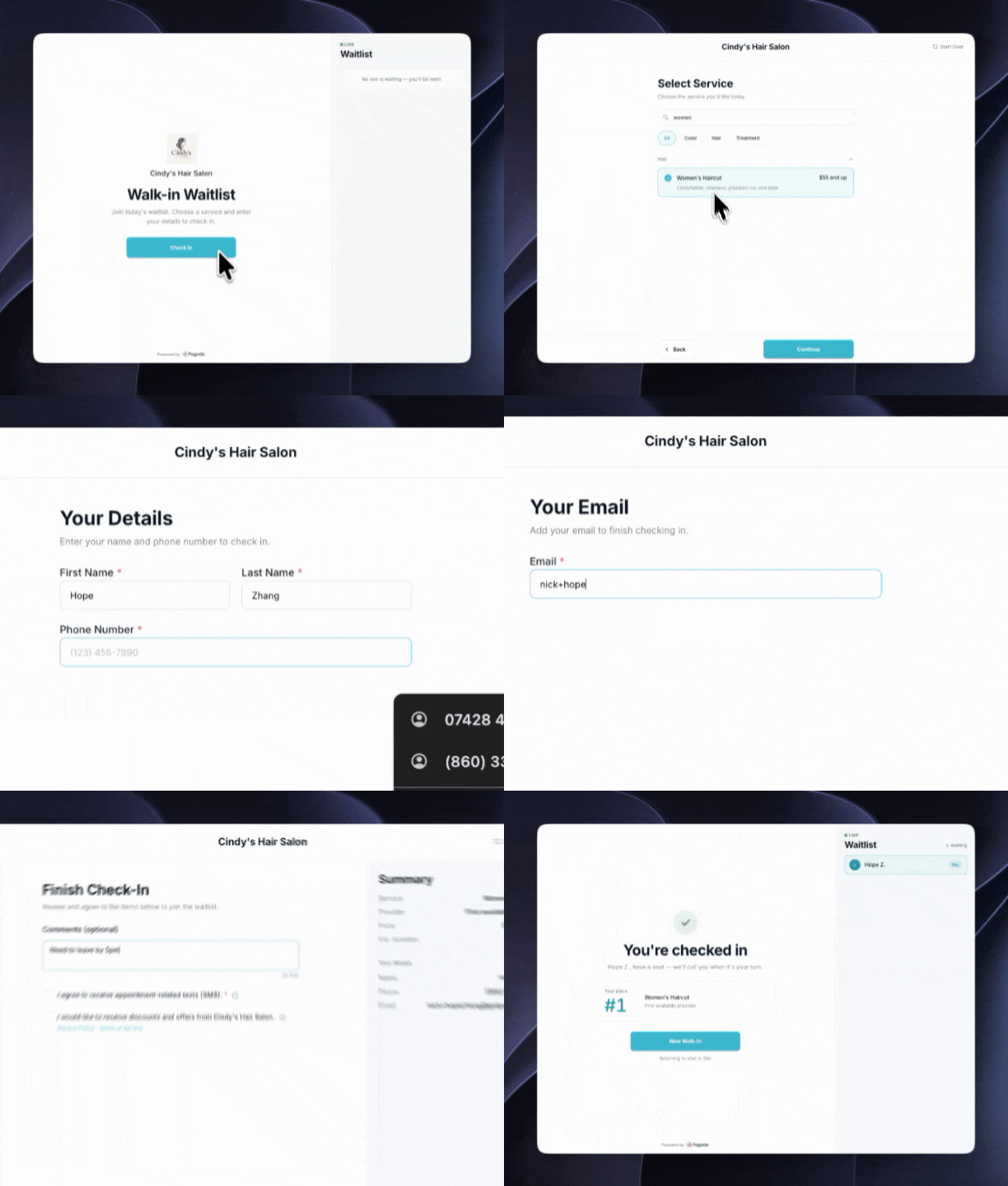
October 16, 2026
[UPDATE] v2.1.0 — Walk-In Improvements (Self Check-In Portal & Live Waitlist)

You can now let walk-in clients check themselves in, and see everyone who is waiting in one live list.
Walk-in portal and waitlist
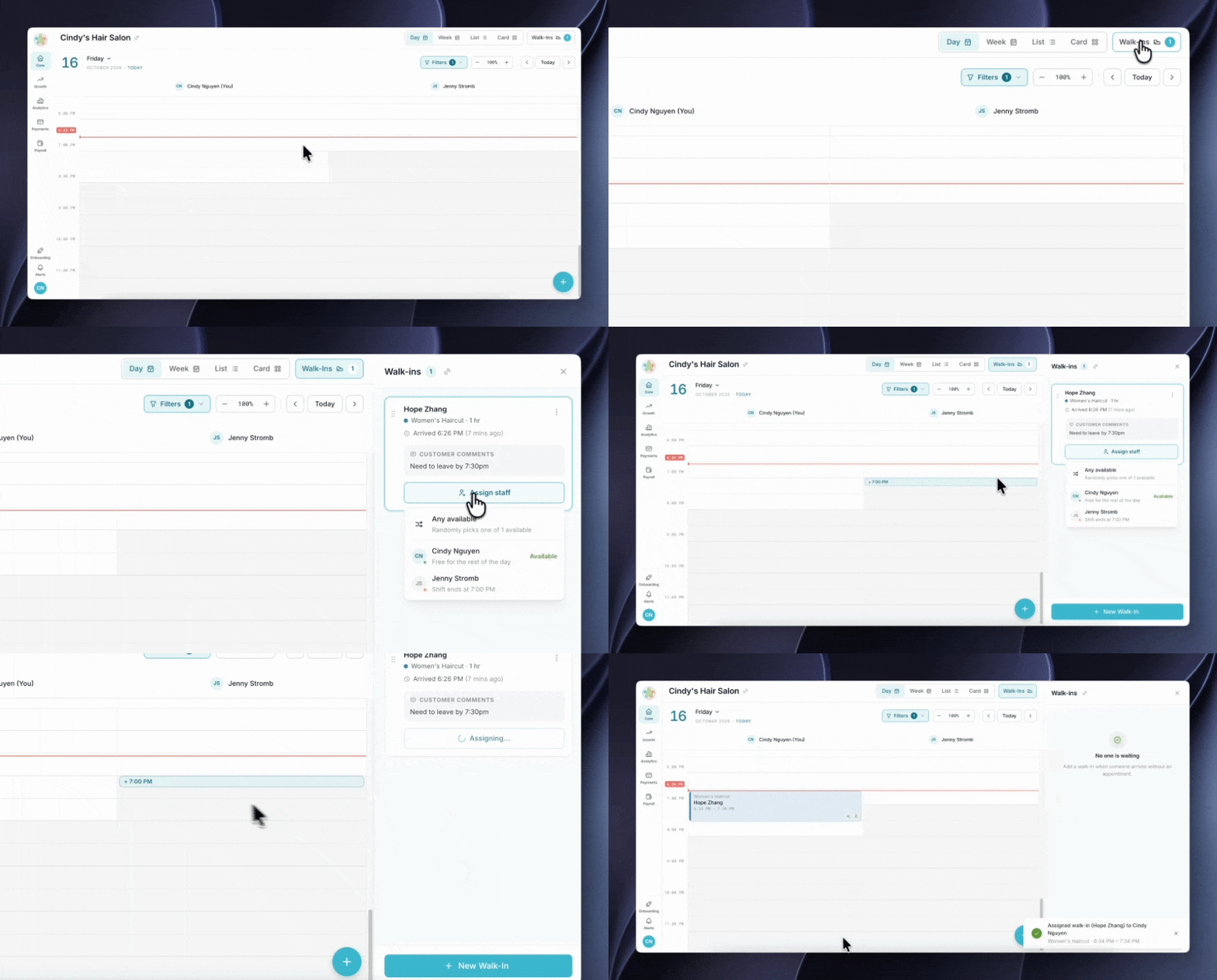
Open the walk-in portal on a tablet at your front desk so clients can check in when they arrive without an appointment. They then appear in a live Walk-ins list in your admin portal, where you can assign each one to an available team member.
How to use it
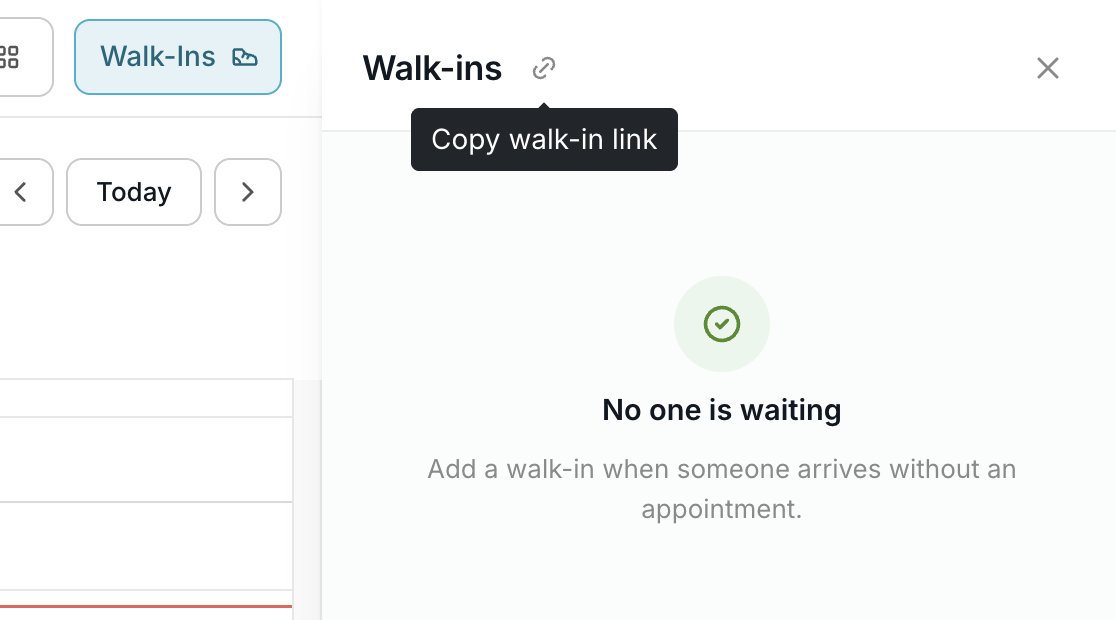
- In your calendar, select Walk-Ins to open the waitlist panel.
- Select the link icon next to the Walk-ins title to copy your walk-in link.
- Open that link on a tablet and place it at your front desk.
- As clients check in, they appear in the list. Assign each one to an available team member.