← All updates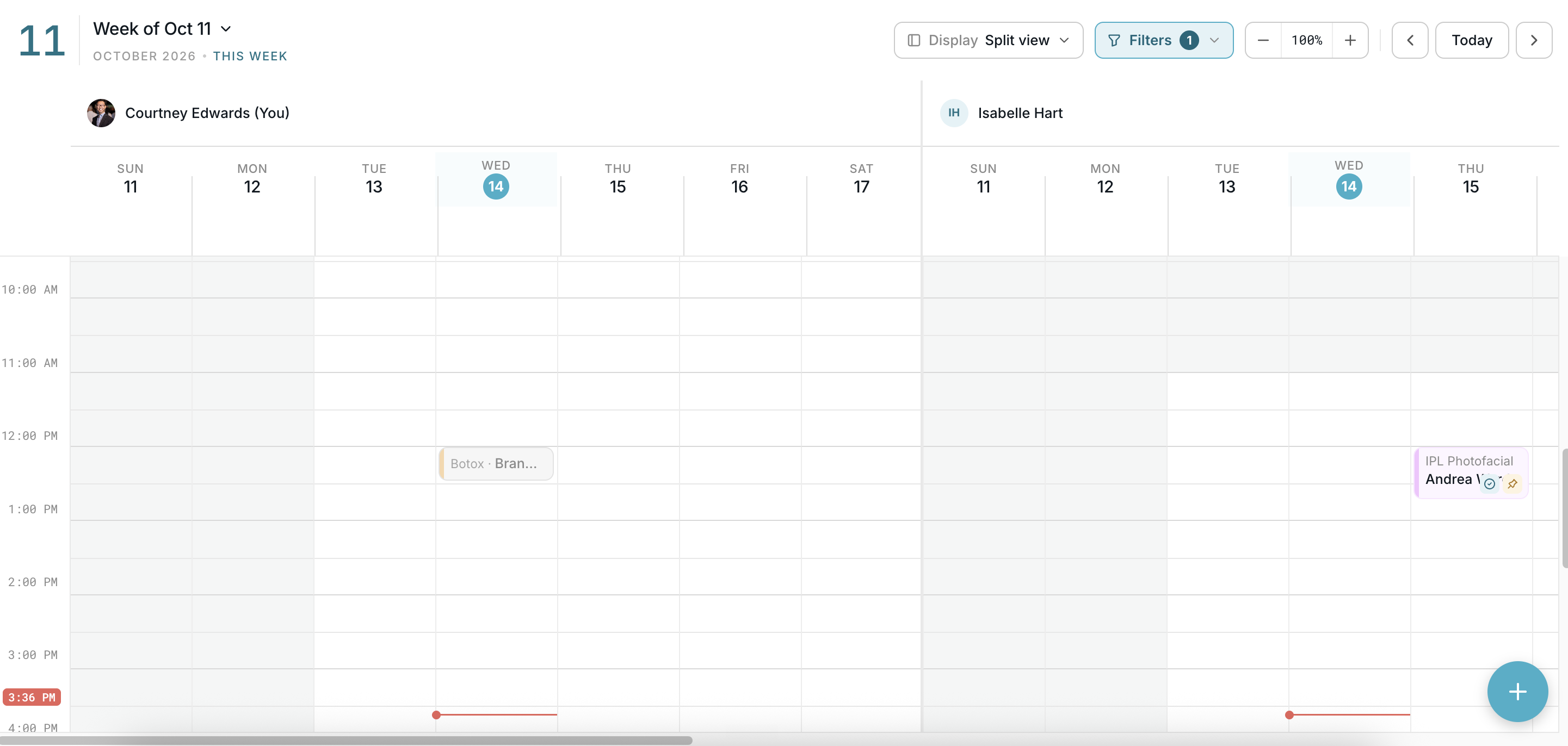
October 14, 2026
[UPDATE] v2.0.0 — A cleaner calendar, built for the front desk

The calendar has a fresh look, a simpler way to book, and a reorganized menu. You can also tag appointments, mark clients as arrived, and set discounts for each location.
A more modern calendar
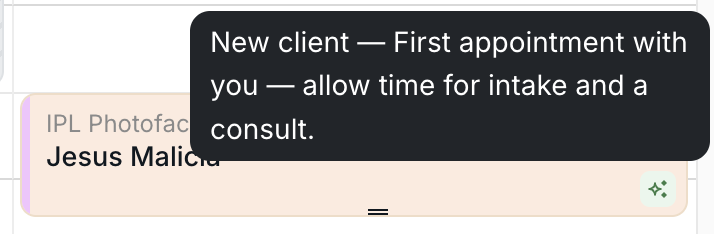
The calendar now matches the Pagoda brand and shows more at a glance, including client badges such as new client and loyal customer.
- Simpler booking: Booking, rescheduling and pre-booking all use the same steps, and multi-service appointments are quicker to create.
- Easier time blocks: Set up a time block and choose how often it repeats.
- Zoom: Show more or less of your day at once.
- Week view: Show your team in one combined view or in a split view with one column per person.
How to use it
- Open the calendar and select Week.
- Next to Display, choose Split view or the combined view.
- Use the zoom controls to fit more or less of your day on screen.
- Hover over a badge on an appointment to see the note behind it.
A reorganized menu
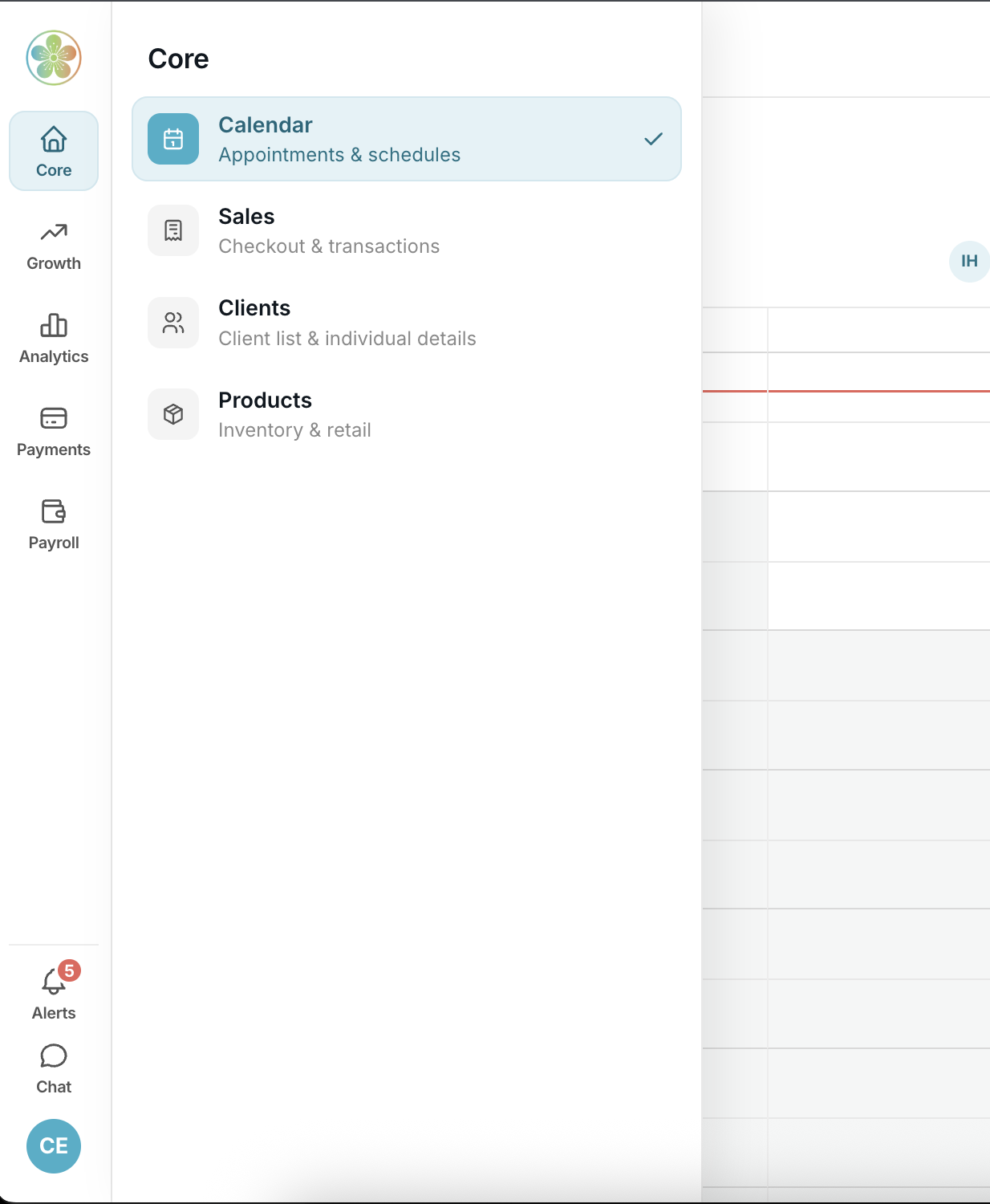
The menu is now grouped by function: Core, Growth, Analytics, Payments and Payroll. Notifications now open in a popover, so you can check alerts from any page.
Tags on appointments
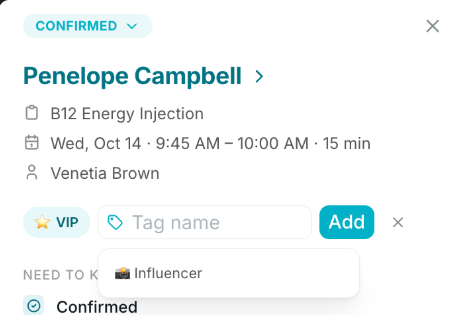
Add tags to an appointment to keep track of details like VIP or influencer clients.
How to use it
- Open an appointment.
- Type a name in the Tag name field, or pick a suggested tag.
- Select an Emoji on your tag(Optional)
- Select Add.
Mark clients as arrived
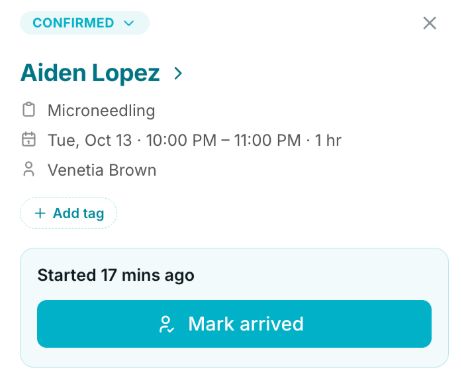
Appointments now have an Arrived status. Front desk teams can see who has checked in and who is running late.
How to use it
- Open the appointment.
- Change the status to Arrived.
Other improvements
- Discounts for each location: Discounts are now set up per location, so you can save the ones you use often, such as a cash discount.